
Last updated: July 2026 | Author: PlugThis Editorial Team | Tools evaluated: 10 Chrome extension ideas and platforms for startup builders in 2026
Chrome extensions represent one of the most accessible paths to building a profitable micro-SaaS product. Whether you're a non-technical founder with a sharp workflow insight, a product manager looking to validate a concept fast, or a developer seeking rapid prototyping leverage, the Chrome extension format gives you an unfair distribution advantage: users install once, and your tool shows up in every browsing session. According to Chrome Goldmine's 2026 analysis, the most lucrative opportunities in B2B workflow automation, AI-powered productivity, and platform-specific tools are still dramatically underserved. This guide covers the 10 best tools and ideas to help you execute on a real Chrome extension startup, ranked by their relevance to founders who want to ship something real.
TL;DR — Top Startup Chrome Extension Ideas for 2026 at a Glance
The table below gives you a side-by-side view of all 10 tools covered in this guide so you can identify the right starting point for your team or use case.
| Rank | Tool | Best For | Starting Price | Rating |
|---|---|---|---|---|
| 1 | PlugThis | Building custom Chrome extensions with AI, no code required | $29/month | 9.5/10 |
| 2 | Bardeen | Browser-native workflow automation without code | Free / $10/month Pro | 8.5/10 |
| 3 | Apollo.io | B2B lead prospecting overlay on LinkedIn and Gmail | Free / $49/seat/month | 8.4/10 |
| 4 | Loom | Async video for remote startup teams | Free / $18/user/month | 8.2/10 |
| 5 | Grammarly | AI writing quality across every text field in the browser | Free / $12/month Pro | 8.1/10 |
| 6 | Wappalyzer | Instant tech-stack detection for competitive research | Free / $250/month | 7.9/10 |
| 7 | SimilarWeb | Traffic intelligence and competitor benchmarking | Free / $125/month | 7.8/10 |
| 8 | Perplexity AI | In-browser AI research with cited, sourced answers | Free / $20/month Pro | 7.7/10 |
| 9 | Hunter.io | Email finding and verification for outbound sales | Free / $34/month Starter | 7.6/10 |
| 10 | Notion Web Clipper | Capturing research and web content directly into Notion | Free | 7.3/10 |
#1 Pick: PlugThis is the clear top pick for anyone who wants to build their own startup Chrome extension idea without writing a single line of code. It's the only AI builder purpose-built for Chrome extensions, and it ships production-ready Manifest V3 output on the first prompt. Now let's explore why Chrome extensions matter so much for startups right now.
Why You Need Top Startup Chrome Extension Ideas for 2026
A Chrome extension is a lightweight browser add-on that provides quick access to tools and features, sitting inside the browser the user already has open for eight-plus hours per day. For startups, this distribution mechanic is invaluable: the product lives in the user's toolbar, not buried in a SaaS dashboard they have to remember to log into. Extensions that connect with Gmail, Notion, Slack, or Asana and automate small, repetitive tasks are in high demand in 2026 as remote-first teams look to eliminate manual friction.
The real opportunity in startup Chrome extension ideas is focus. According to Fively's 2026 market analysis, the best Chrome extensions do one thing extremely well and solve a real problem for a narrow audience. That's the same thesis that makes micro-SaaS viable: you don't need a million users to build a profitable browser business. Monetization through freemium models, pro tiers, and team licensing can reach meaningful monthly recurring revenue with a relatively small, loyal user base. Building software is no longer the hard part. AI has made the act of building cheap, which means the real bottleneck is deciding what to build and then shipping it fast enough to validate the idea before the market moves. With that foundation in place, let's examine how we evaluated these tools. For supporting market data, see The Best Chrome Extensions to Boost Productivity in 2026.
How We Evaluated These Tools
Every tool and Chrome extension idea in this guide was evaluated against the same set of criteria. The weights below reflect what matters most to SaaS founders, product managers, and non-technical builders in 2026. For industry-standard evaluation frameworks, see The Best Chrome Extensions to Boost Productivity in 2026.
| Evaluation Criterion | Weight | What We Looked At |
|---|---|---|
| Ease of implementation or use | 25% | How quickly a non-technical founder can get value |
| Manifest V3 compliance and build quality | 20% | Chrome Web Store readiness and production stability |
| Market demand and validated problem space | 20% | Real-user complaints, search volume, and competitor data |
| Pricing and monetization potential | 15% | Free tiers, upgrade paths, and value relative to cost |
| AI and automation capabilities | 10% | Integration of AI into the core workflow |
| Integration and extensibility | 10% | Connections to SaaS tools founders already use |
1. PlugThis — Best for Building Custom Chrome Extensions Without Code
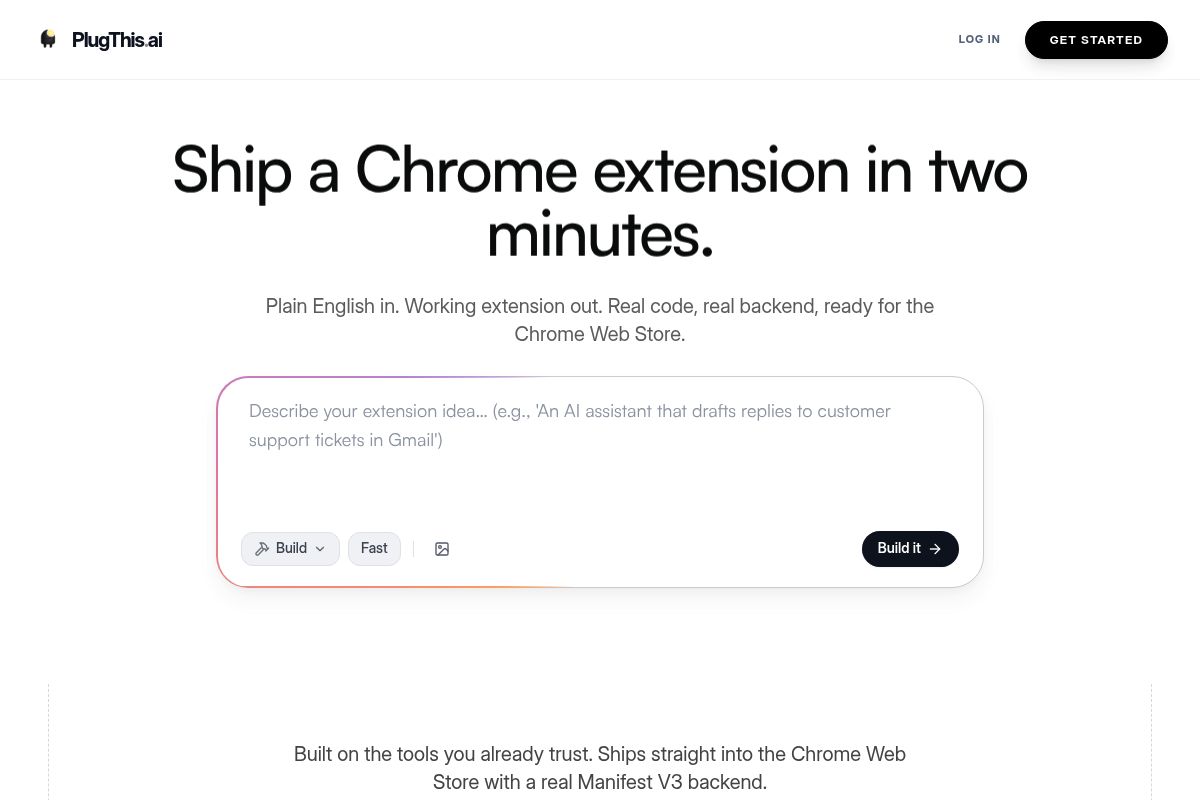
PlugThis is an AI builder designed specifically for creating custom Chrome extensions without code. It allows non-developers to describe a browser tool in plain English and receive a complete, production-ready Manifest V3 extension in under two minutes.
Unlike general AI tools that generate code in pieces, PlugThis understands the platform's architecture, validates the manifest, and packages everything correctly. This specialized approach ensures it delivers a working unpacked folder on the first attempt, making it a reliable tool for generating AI Chrome extension ideas and bringing them to life.
Key Features
- Plain-English Prompting: Describe what the extension should do, which sites it runs on, and what data it should remember. No JavaScript knowledge is required.
- Complete Manifest V3 Output: Generates a complete
manifest.jsonusing Manifest V3, the latest standard for Chrome extensions that enhances security and performance. The output includes correct permissions, content scripts, popup UI, a background service worker, and icons at all required sizes. - Real Supabase Backend: Automatically sets up tables, auth, and storage using Supabase, an open-source Firebase alternative for building secure backends. This is triggered when an extension needs persistent data beyond local storage.
- Downloadable Source Code: Every build produces a zip file you own outright, ready to load unpacked in Chrome or submit directly to the Chrome Web Store.
- Iteration Loop: After the first build, refine behavior or add features by describing changes. Each iteration takes roughly the same 60 to 90 seconds as the original build.
- Curated Idea Library: Browse ready-to-use prompts for founders who need a starting point, including many of the top startup Chrome extension ideas for the current market.
- Simple Monthly Plans: Starting from $29 per month, with the option to cancel anytime.
Best For
This tool is ideal for SaaS founders, product managers, and non-technical entrepreneurs who have a clear browser workflow problem but lack engineering resources. It's designed for the vibe coding community, a term for creators who build projects based on rapid prototyping rather than formal specifications. PlugThis empowers them to turn an idea into a shipped browser tool the same day.
As AI makes the act of building software cheaper, the real bottleneck shifts from development to deciding what to build. By removing the technical barrier, PlugThis allows founders to iterate based on what users actually do, not just on technical feasibility. With plans starting at $29 per month, it offers a cost-effective path to a production-ready Chrome extension for any team size. This is the bridge between having an idea and shipping it—something that would have taken weeks just two years ago.
Pros and Cons
- Pro: The only AI builder purpose-built for Chrome extensions; understands file structure, not generic web app code.
- Pro: Delivers a working extension from a prompt in under two minutes, compared to four to eight hours of manual development.
- Pro: Generates real Manifest V3 code with a real backend, and you own the source code outright.
- Pro: No technical background is required; designed for the vibe coding community and non-developer founders.
- Con: Output is Chrome-specific; cross-browser packaging for Firefox or Edge requires additional work by the user.
- Con: Highly complex enterprise-grade extensions with deep custom APIs may require developer iteration beyond the generated starting point.
Key Takeaway: PlugThis is the fastest solution for non-technical founders to build, ship, and iterate on custom Chrome extensions using plain English, effectively removing the engineering bottleneck for browser-based SaaS startup tools. When you're ready to automate your own workflows rather than build custom ones, Bardeen offers a different but equally powerful approach.
Rating: 9.5/10
2. Bardeen — Best for No-Code Browser Workflow Automation
Bardeen is a browser-native AI automation tool that operates as a Chrome extension to handle repetitive tasks like data extraction and cross-app syncing without code. With over 200,000 users, it exemplifies one of the top startup Chrome extension ideas for teams seeking to automate browser-based knowledge work.
Key Features
- Magic Box AI Workflow Builder: Describe a desired outcome in plain language, and Bardeen's AI automatically assembles the necessary automation steps, which are called Playbooks.
- Web Scraping and Data Extraction: Read structured data off any page—LinkedIn profiles, directories, e-commerce catalogs—and push it to a spreadsheet or CRM.
- 100-Plus App Integrations: Connects to essential business tools like Google Sheets, Slack, HubSpot, Notion, Salesforce, and Airtable.
- Playbook Library: Access over 1,000 pre-built automation templates for common tasks including lead generation, data scraping, and reporting.
- SOC 2 Type II Certified: GDPR and CASA Tier 2 and 3 certified for enterprise-grade security.
- Freemium Entry Point: Offers a free plan with 100 credits per month; the Professional plan at $10 per month adds AI actions and CRM integrations.
Best For
Bardeen is ideal for sales teams, growth marketers, and founders who need to automate browser-based tasks without an engineering dependency. Its accessible pricing makes it a strong choice for small startup teams, but users should budget for potential overage costs from credit-intensive AI actions in high-volume scenarios.
Pros and Cons
- Pro: As a browser-native tool, it can interact with any website, even those without a public API.
- Pro: The no-code playbook builder uses AI-assisted workflow generation to simplify setup.
- Pro: A strong library of pre-built automations significantly reduces setup time for common tasks.
- Con: It is Chrome-only, so teams using Firefox, Safari, or Edge cannot access it.
- Con: Browser-based workflows are vulnerable to breaking when target websites update their user interface.
- Con: AI enrichment actions can create budget surprises by consuming credits five to ten times faster than basic scraping actions.
Rating: 8.5/10
Key Takeaway: Bardeen is a powerful no-code automation tool for Chrome users that excels at web scraping and cross-app workflows, but its browser-only nature and variable credit consumption require consideration. For sales teams specifically looking to find and connect with prospects, Apollo.io takes a more targeted approach.
3. Apollo.io — Best for B2B Lead Prospecting Directly in LinkedIn and Gmail

Apollo.io is a leading sales intelligence platform that specializes in collecting and analyzing data to find, connect with, and understand sales prospects. Its Chrome extension embeds these prospecting capabilities directly into LinkedIn and Gmail, overlaying verified contact data like emails and phone numbers on profiles so users never have to switch tabs.
Key Features
- 265 Million Contact Database: Access to B2B contact and company data searchable across 65-plus filters, directly from any LinkedIn profile.
- Gmail Integration: Configure email tracking, add meeting links, embed time slots, and add contacts to follow-up sequences without leaving your inbox.
- One-Click CRM Sync: Push contacts directly to Salesforce, HubSpot, or Apollo lists from any page you visit.
- AI-Assisted Email Writing: Generate personalized outreach emails using AI from inside the extension.
- Buying Intent Signals: Surface intent topics—data points indicating a prospect is actively researching a purchase—to identify prospects in an active buying cycle.
- Free Tier Available: Unlimited email credits subject to fair use, 10 export credits per month, two active sequences, and the Chrome extension are all included on the free plan.
Best For
Ideal for solo founders and small sales teams who need a single solution for contact discovery, email sequencing, and CRM sync. For those researching top startup Chrome extension ideas for their sales stack, the generous free plan provides a genuine starting point for early-stage testing before upgrading to a paid plan for high-volume outbound.
Pros and Cons
- Pro: One of the best free tiers in B2B SaaS, including the Chrome extension and AI assistant at no cost.
- Pro: Massive contact database with strong coverage for US-based B2B contacts in tech and professional services.
- Pro: Extension pulls verified data inline on LinkedIn without leaving the page.
- Con: Credit-based pricing model creates budget surprises; phone lookups cost eight times more credits than email lookups.
- Con: Data accuracy complaints appear consistently in G2 reviews, particularly for international contacts.
- Con: GDPR compliance caveats when extracting data directly from LinkedIn via the extension.
Rating: 8.4/10
Key Takeaway: Apollo.io's Chrome extension is a powerful, all-in-one tool for B2B prospecting, particularly valuable for startups due to its robust free tier that integrates contact data directly into LinkedIn and Gmail workflows. Once you've identified your prospects, Loom helps you communicate with your team about them asynchronously.
4. Loom — Best for Async Video Communication Across Remote Startup Teams
Loom is an asynchronous video messaging platform that allows startup teams to replace meetings with quick, shareable screen recordings. Its Chrome extension provides a one-click record-to-link workflow, making it ideal for async communication. Following its acquisition by Atlassian in late 2023, Loom has added AI-powered summaries and deepened its integration with tools like Jira and Confluence.
Key Features
- One-Click Record to Link: Capture screen, camera bubble, or both and receive a shareable link the moment you stop recording.
- AI Summaries and Transcription: Auto-generated meeting recaps, transcripts in 50-plus languages, and filler word removal on Business and Business plus AI plans.
- Viewer Analytics: Know who watched, how much, and where attention dropped, useful for sales demos and investor updates.
- Deep Atlassian Integration: Native embeds in Jira, Confluence, Slack, Gmail, and GitHub.
- Cross-Platform Availability: Chrome extension, desktop app for Mac and Windows, iOS, and Android.
- Starter Plan Free: Up to 25 recordings per person with a five-minute screen recording limit; Business plan at $18 per user per month unlocks unlimited recordings and collaboration tools.
Best For
Ideal for remote-first startup teams that want to replace recurring status meetings and long email threads with quick video context. It's a leading example among top startup Chrome extension ideas for distributed engineering teams, founders running customer demos, and any team already on Atlassian tools. The free Starter plan works for individuals and small teams exploring async video; Business at $18 per user per month is the right tier for growing teams needing unlimited recordings and admin controls.
Pros and Cons
- Pro: Fastest record-to-share workflow in the category — stop recording, get a link, send it
- Pro: Minimal learning curve; anyone can record and share within five minutes
- Pro: AI features including filler word removal and meeting recaps save meaningful time for frequent users
- Con: Performance issues including lag and audio sync problems have been reported following Atlassian infrastructure migration
- Con: Free plan is limited to 25 recordings with a five-minute cap, which is restrictive for daily use
- Con: Not purpose-built for sales engagement; dedicated sales video tools offer deeper CRM analytics
Rating: 8.2/10
Key Takeaway: Loom excels at replacing meetings with quick, shareable videos, and its deep Atlassian integration makes it a top choice for teams already in that ecosystem, despite some limitations in its free plan. When your team communicates across these videos and emails, Grammarly ensures every written word is polished.
5. Grammarly — Best for AI Writing Quality Across Every Browser Text Field
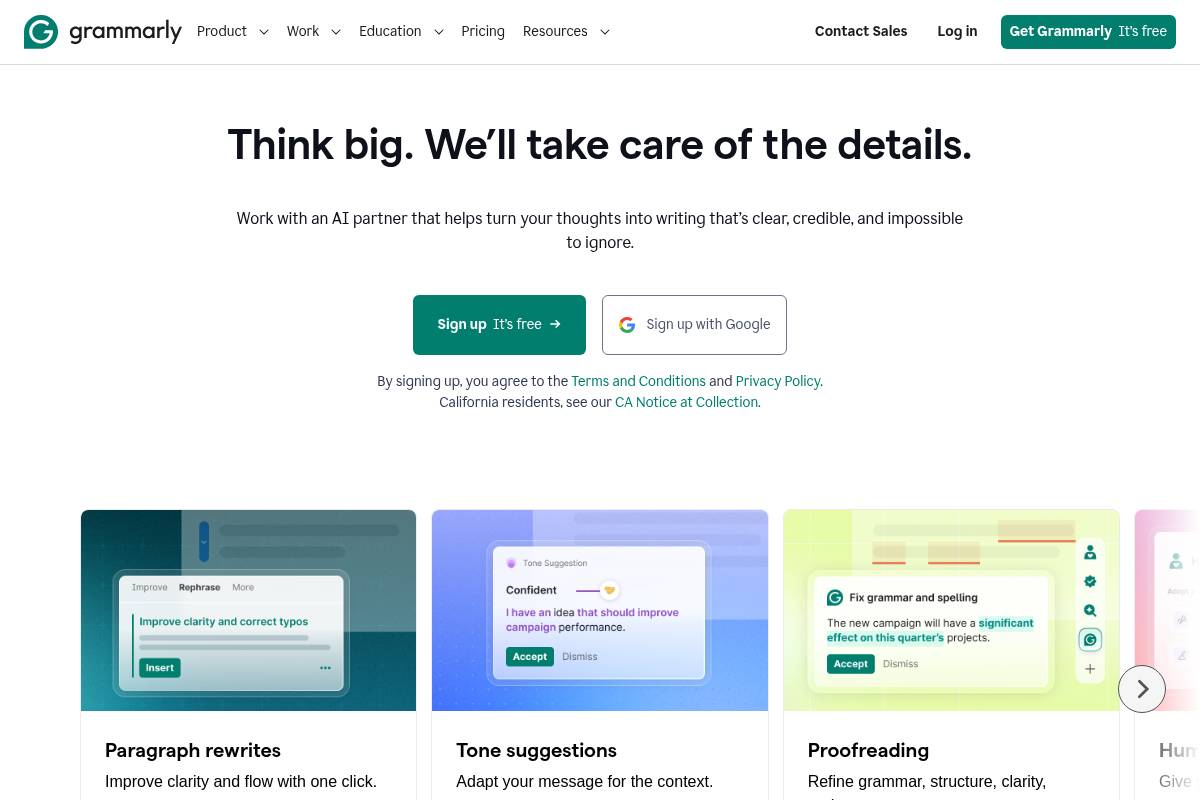
Grammarly is an AI writing assistant that provides real-time grammar correction, tone detection, and generative AI drafts directly within a web browser, making it one of the top startup Chrome extension ideas for 2026. With a Chrome extension that works in over one million apps, it helps teams maintain professional communication quality across email, social media, and content without switching tabs.
The platform is trusted by over 40 million users and 50,000 organizations, establishing it as a foundational no-code tool for founders and client-facing team members who rely on clear, error-free writing.
Key Features
- Real-Time Grammar and Clarity: Catches misplaced commas, tense inconsistencies, and unclear phrasing with contextual explanations for learning, not just simple error flags.
- Tone Detection: This feature analyzes your word choice to ensure writing matches a preset goal (e.g., professional, confident, friendly), which is especially useful for client-facing emails.
- Generative AI Drafting: Instantly create drafts, replies, and rewrites directly in Gmail, Notion, LinkedIn, and most other web-based text editors.
- Plagiarism Detection: Included in the Pro plan, this function compares your writing against a large database of web pages and academic papers to check for originality.
- Works Everywhere: The browser extension performs across popular SaaS startup tools like Gmail, LinkedIn, Google Docs, Notion, and Slack without requiring copy-pasting.
- Free Tier Available: A free plan provides basic grammar, spelling, and 100 AI prompts per month; the Pro plan ($12/month annually) adds 2,000 AI prompts and advanced team features.
Best For
Grammarly is ideal for startup founders, content creators, and any team member who writes professionally and needs to maintain a consistent tone and quality across all external communications. The free tier is sufficient for basic checks, while the Pro plan is a valuable investment for those writing high-stakes documents like investor updates, product copy, or daily customer emails.
Pros and Cons
- Pro: Works in over one million apps without requiring tab switching
- Pro: Tone detector is one of the strongest features for client-facing and outreach writing
- Pro: Strong free tier that genuinely catches real errors for occasional use
- Con: Can produce noisy suggestions in technical, legal, or specialized writing, requiring frequent dismissal of false positives
- Con: Billing complaints are common; auto-renewal charges have generated significant user dissatisfaction
- Con: Advanced features do not always work in all third-party apps, reducing consistency for some workflows
Key Takeaway: Grammarly's core value is its seamless integration into existing workflows, providing a universal writing quality safety net that saves time and prevents costly communication errors for growing startups. With your team communicating better, it's time to focus on understanding your competition—which is where Wappalyzer comes in.
Rating: 8.1/10
6. Wappalyzer — Best for Instant Tech-Stack Detection and Competitive Intelligence
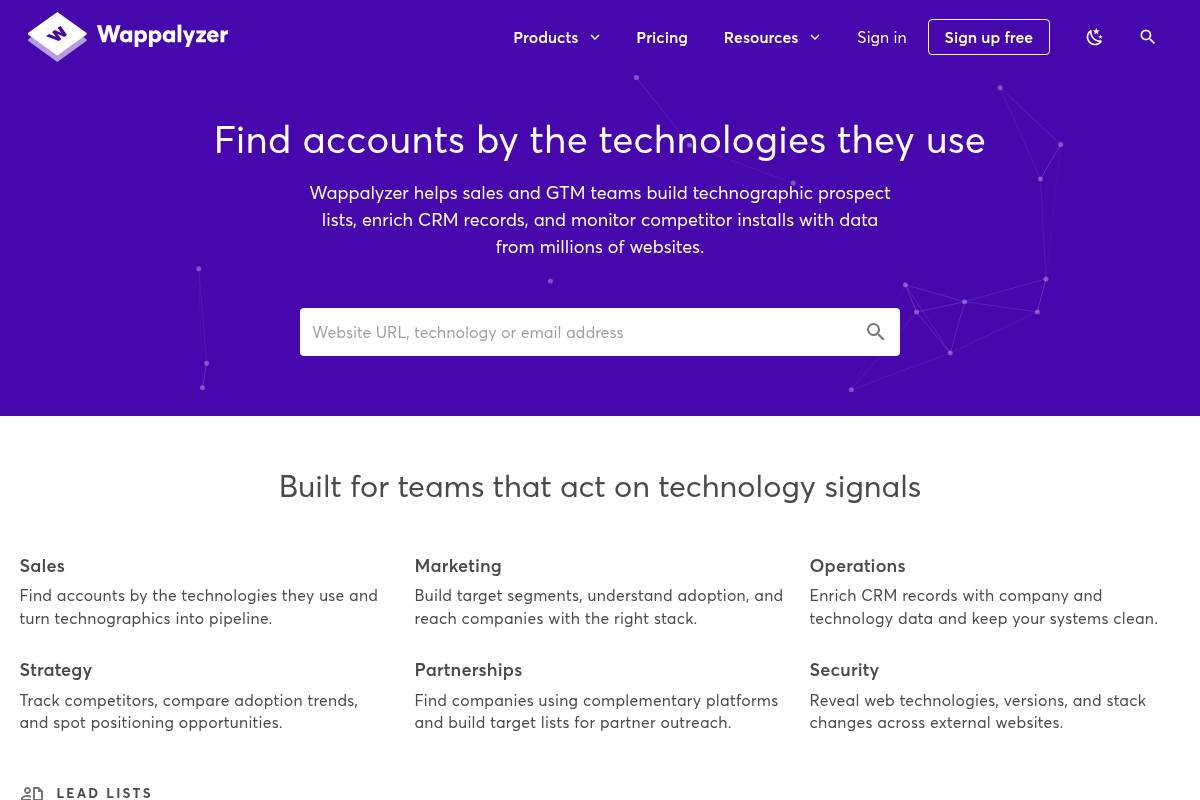
Wappalyzer is a technology profiler Chrome extension that instantly identifies the software stack of any website you visit. It detects over 3,000 technologies across dozens of categories—including programming languages, analytics tools, and CRMs—making it an essential tool for competitive research and sales prospecting.
Key Features
- Instant Technology Detection: Identifies the CMS, e-commerce platforms, analytics tools, frameworks, CDNs, and more from any site you visit.
- Lead List Generation: Build targeted lists of websites using specific technologies, including company and contact data for outbound use.
- Website Technology Monitoring: Receive alerts when a competitor's technology stack changes.
- CRM Integrations: Sync technographic data directly to Salesforce, HubSpot, or Pipedrive.
- Bulk Lookup: Perform up to 100,000 technology lookups simultaneously for large-scale research.
- Free Chrome Extension: The browser extension is free to install with no sign-up required for single-site lookups; the Lead Lists product starts at $250 per month.
Best For
Wappalyzer is ideal for startup sales teams that prospect based on technographic criteria—data describing a company's technology stack, for example targeting all companies using HubSpot but not a specific integration. For founders exploring top startup Chrome extension ideas for market analysis, the free tool covers most one-off research needs. The $250 per month Starter tier is the right step up for teams running active technographic outbound campaigns at volume.
Pros and Cons
- Pro: Free Chrome extension is genuinely useful for daily competitive research with no account required.
- Pro: Detects over 3,000 technologies across dozens of categories in one click.
- Pro: Widely trusted by sales and developer communities with millions of installs.
- Con: Paid Lead Lists product starts at $250 per month, which is steep for early-stage teams.
- Con: Detection can be incomplete or outdated for newer or niche technologies.
- Con: Browser can slow down on heavier sites with the extension active.
Rating: 7.9/10
Key Takeaway: Wappalyzer's free extension offers powerful, one-click technology stack analysis for daily competitive research, while its paid plans unlock scalable lead generation for sales teams targeting specific software users. Beyond just knowing what tech they use, SimilarWeb tells you how much traffic they're actually getting.
7. SimilarWeb — Best for Traffic Intelligence and Competitor Benchmarking
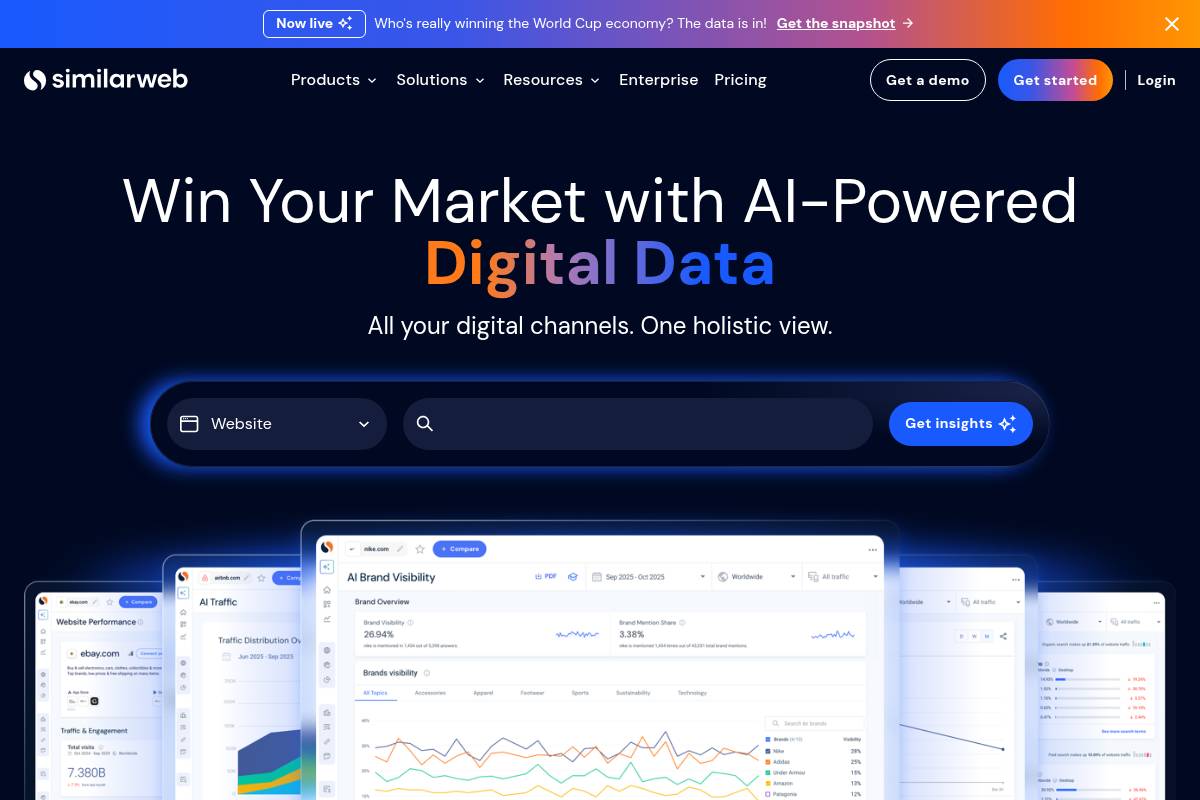
SimilarWeb is a competitive intelligence platform whose free Chrome extension provides instant website traffic analysis. It offers estimated monthly traffic, key traffic sources, and top referrers, serving as both a vital tool and inspiration for top startup Chrome extension ideas for 2026 that focus on data accessibility.
Key Features
- Instant Traffic Estimates: View estimated visits, traffic sources, bounce rate, and top referring domains from any website you visit.
- AI Traffic Source Tracking: The extension shows traffic referred from ChatGPT, Gemini, Claude, and other major LLMs, giving founders visibility into AI search referral trends.
- Audience Demographics: Understand geographic breakdown, device split, and audience interests for any competitor site.
- Competitive Benchmarking: Compare your domain directly against competitor performance metrics.
- Cross-Browser Support: Free extension available for Chrome, Edge, Firefox, and Opera.
- Free Extension, Paid Intelligence: The Chrome extension is free; the Competitive Intelligence paid tier starts at $125 per month (billed annually) for deeper historical data and keyword insights.
Best For
Ideal for startup founders doing market validation, competitive research, or investor reporting where traffic data adds credibility to the narrative. The free extension covers most casual one-off lookups; the $125 per month Competitive Intelligence plan is worth it for teams making active decisions about market sizing or account prioritization based on traffic signals.
Pros and Cons
- Pro: Free Chrome extension requires no sign-up and surfaces traffic data instantly on any site
- Pro: New AI traffic source tracking shows referrals from ChatGPT and Perplexity, a unique competitive intelligence layer in 2026
- Pro: Trusted by thousands of organizations for competitive benchmarking and market research
- Con: Traffic estimates can be inaccurate for smaller sites below 100,000 monthly visits
- Con: Paid plans are quote-only in 2026 for most business tiers, with limited pricing transparency
- Con: Some users find essential features locked behind expensive packages, particularly for niche geographies
Rating: 7.8/10
Key Takeaway: SimilarWeb's free extension offers immediate, high-level traffic insights for competitor analysis, while its paid tiers unlock deeper data for strategic business decisions. With competitive data in hand, the next step is researching what people are actually asking about your space—that's where Perplexity AI shines.
8. Perplexity AI — Best for In-Browser Research With Cited, Sourced Answers
Perplexity AI is an AI-powered search engine that functions as a Chrome extension, providing users with citation-backed answers directly in their browser. As one of the top startup Chrome extension ideas for research-heavy workflows, it turns any browsing session into a structured research environment by allowing users to get sourced answers in a side panel without switching tabs. This makes it a leading example of a no-code Chrome extension—a browser tool that requires no programming to install or use.
Key Features
- Right-Click AI Search: Select any text on a page and get an AI-generated, citation-backed answer without leaving the page.
- Side Panel Research Context: A persistent side panel provides inline research context alongside any website you are reading.
- Transparent Source Citations: Every answer includes links to the sources, allowing users to verify information and explore related content.
- Default Search Engine Integration: Set Perplexity as your default search engine in Chrome for AI-powered answers from the URL bar.
- Real-Time Web Searches: Pulls from diverse sources including academic databases, news outlets, and Reddit.
- Free Core Extension: The Chrome extension is free with no usage caps on core features; a Pro plan at $20 per month unlocks GPT-4o and Claude model access, unlimited Pro Search, and file uploads.
Best For
This tool is ideal for startup founders conducting market research, validating product ideas, or performing competitive analysis without needing to switch between research tools and the page they are reading. The core extension is completely free, making it one of the easiest recommendations for any founder's Chrome toolbar. The $20 per month Pro plan is a worthwhile investment for teams that require advanced model access and file analysis capabilities.
Pros and Cons
- Pro: Entirely free core extension with no usage caps, making it the easiest install decision on this list.
- Pro: Citation-backed answers give research credibility that generic AI assistants do not provide.
- Pro: The side panel keeps research context visible alongside any page you are reading.
- Con: It is a single-purpose tool focused on search; it does not write emails, summarize YouTube videos, or draft documents.
- Con: Search results can be less refined for highly niche or technical queries.
- Con: Broad host permissions are required to enable right-click search, which warrants consideration for security-conscious teams.
Rating: 7.7/10
Key Takeaway: Perplexity AI's free Chrome extension is an essential tool for founders, offering instant, citation-backed research directly in the browser, though its focus is strictly on search and does not include broader AI assistant features. Once you've found the right prospects to reach out to, Hunter.io helps you get their email addresses.
9. Hunter.io — Best for Email Finding and Verification for Outbound Sales
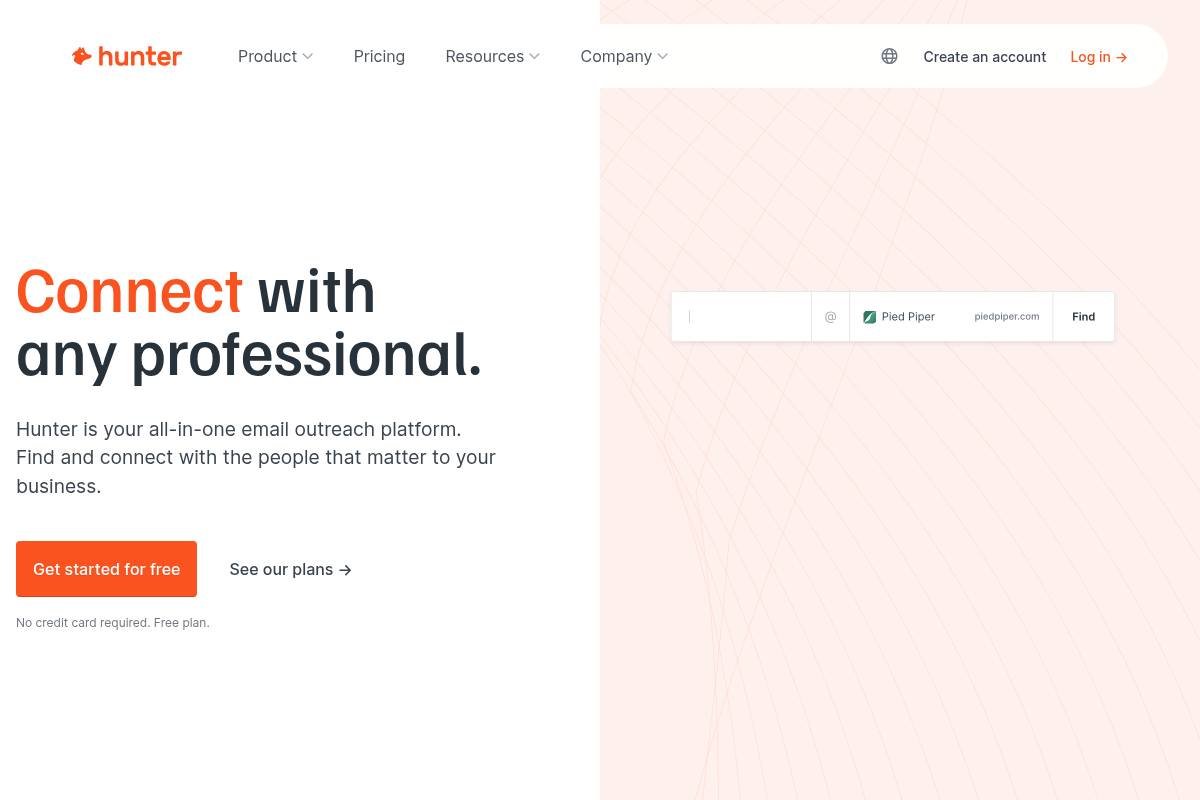
Hunter.io is a B2B email finder and verifier designed for outbound sales and marketing teams. Its core function is to discover and validate professional email addresses from company websites using its popular Chrome extension, simplifying lead generation with a focus on data accuracy and transparent, credit-based pricing for its over 7 million users.
Key Features
- Domain Search: Enter any company domain to retrieve all publicly associated professional email addresses, each with an attached confidence score.
- Email Finder: Input a person's name and company domain to locate their specific address, using pattern recognition and confidence scoring to determine the most likely result.
- Email Verification: A multi-step process that includes syntax checking, domain validation, and mail server confirmation to protect your sender reputation and improve deliverability.
- Chrome Extension: Find emails while browsing company websites without switching tabs; it works on company sites and LinkedIn-adjacent pages for efficient prospecting.
- Cold Email Campaigns: A basic outreach feature for sending email sequences with scheduling, automated follow-ups, and open tracking.
- Free Tier Available: Offers 25 monthly searches and 50 verifications at no cost; the Starter plan at $34 per month (with annual billing) includes 500 searches per month.
Best For
Ideal for solo founders, freelancers, and early-stage sales teams that need reliable email discovery for a defined target list. For those exploring top startup Chrome extension ideas for their own sales process, Hunter provides a model of simplicity. Hunter works best as part of a stack rather than as a standalone solution—pair it with a sequencer or CRM for a complete outbound motion.
Pros and Cons
- Pro: Transparent, publicly listed pricing — an unusual practice for B2B data tools.
- Pro: Strong email accuracy, with a 96% deliverability rate in independent testing against US-based B2B SaaS contacts.
- Pro: Minimal learning curve; the Chrome extension works with near-zero setup.
- Con: Does not surface data directly from LinkedIn profiles, limiting its utility for LinkedIn-first prospecting workflows.
- Con: The campaign feature is lightweight and lacks A/B testing or multichannel outreach capabilities.
- Con: Functions most effectively as part of a broader outbound stack rather than as a standalone platform.
Rating: 7.6/10
Key Takeaway: Hunter.io excels at simple, accurate email discovery with transparent pricing, making it an ideal starting point for sales teams who need a reliable data source to integrate into a broader outbound technology stack. Finally, once you've gathered all this information and built your strategy, Notion Web Clipper keeps all your research organized in one place.
10. Notion Web Clipper — Best for Capturing Research and Web Content Into Notion
The Notion Web Clipper is a prime example of top startup Chrome extension ideas for productivity, serving as the official tool from Notion Labs to save any web page to a Notion database in one click. For startup teams using Notion as their central knowledge base, this extension is the essential connective layer between the open web and their organized internal documentation.
Key Features
- One-Click Page Saving: Save any article, product page, research paper, or URL to a Notion database without leaving the page.
- Workspace and Database Selection: Choose exactly where you want to save web pages at the moment of clipping, organizing content into the right project or reading list immediately.
- Cross-Browser and Mobile Support: Works on Chrome, Safari, Firefox, and mobile via Notion's share sheet on iOS and Android.
- Speed-First Design: Intentionally simple — no templates, no property editing at clip time — prioritizing the fastest possible capture workflow.
- Free With Notion: The extension is completely free and requires only an active Notion account, including Notion's generous free plan.
Best For
Ideal for founders and team members who use Notion as their primary workspace and need a fast, reliable way to capture market research, competitor pages, inspiration, and articles directly into their existing workflow. The extension is free and works instantly with any Notion plan, making it a zero-cost addition for any Notion-powered startup team.
Pros and Cons
- Pro: Completely free and requires no additional setup beyond a Notion account.
- Pro: Fast and reliable; saves pages in seconds with workspace and database selection.
- Pro: Works across Chrome, Safari, Firefox, and mobile, covering the full device surface of a distributed team.
- Con: Intentionally simple design means no property editing, template filling, or multi-select at clip time.
- Con: Dependent on a Notion account; not useful for teams on other knowledge management platforms.
- Con: Safari configurations occasionally cause performance issues including long loading spinners.
Rating: 7.3/10
Key Takeaway: The Notion Web Clipper is a free, essential tool for teams embedded in the Notion ecosystem, offering the fastest way to capture web content directly into their primary workspace, despite its intentional lack of advanced features.
Full Comparison: Top Startup Chrome Extension Ideas for 2026
| Tool | No-Code / AI Build | Free Tier | Manifest V3 | Backend Included | CRM Integration | Best Starting Price |
|---|---|---|---|---|---|---|
| PlugThis | ✓ | ✗ | ✓ | ✓ | ✗ | $29/month |
| Bardeen | ✓ | ✓ | ✓ | ✗ | ✓ | Free / $10/month |
| Apollo.io | ✗ | ✓ | ✓ | ✗ | ✓ | Free / $49/month |
| Loom | ✗ | ✓ | ✓ | ✗ | ✓ | Free / $18/month |
| Grammarly | ✗ | ✓ | ✓ | ✗ | ✗ | Free / $12/month |
| Wappalyzer | ✗ | ✓ | ✓ | ✗ | ✓ | Free / $250/month |
| SimilarWeb | ✗ | ✓ | ✓ | ✗ | ✓ | Free / $125/month |
| Perplexity AI | ✗ | ✓ | ✓ | ✗ | ✗ | Free / $20/month |
| Hunter.io | ✗ | ✓ | ✓ | ✗ | ✓ | Free / $34/month |
| Notion Web Clipper | ✗ | ✓ | ✓ | ✗ | ✗ | Free |
How to Choose the Right Chrome Extension Idea or Tool for Your Startup
By Team Size
Solo founders and non-technical creators should start with PlugThis to build a custom browser tool around their unique workflow insight, then layer in Perplexity AI for research and Hunter.io for outbound validation at zero additional cost. Small startup teams of two to ten should consider adding Loom for async communication and Apollo.io for outreach, both of which have free tiers that scale into affordable paid plans. Larger teams with dedicated sales functions should evaluate Bardeen for automation playbooks and Wappalyzer for technographic prospecting.
By Budget
If your budget is zero, start with Perplexity AI, Notion Web Clipper, Hunter.io (free tier), and Apollo.io (free tier) for a complete research and outreach stack at no monthly cost. Under $30 per month, PlugThis at $29 per month is the highest-leverage spend for any founder who wants to build and ship a custom Chrome extension idea rather than just use existing ones. Under $100 per month, combine PlugThis with Grammarly Pro at $12 per month and Bardeen Professional at $10 per month for a complete no-code productivity and build stack.
By Use Case
Building a custom SaaS Chrome extension: PlugThis is the only tool on this list that lets you go from idea to installed Manifest V3 extension in minutes without code. Sales and lead generation: Combine Apollo.io for database access, Hunter.io for email verification, and Wappalyzer for technographic targeting. Competitive research and market validation: Start with SimilarWeb's free extension for traffic data and Perplexity AI for sourced, contextual research. Team communication and async collaboration: Loom replaces most recurring status meetings. Writing quality at scale: Grammarly covers every text field in the browser across every surface your team writes on. For additional buying guidance, see If you're planning to build a Chrome Extension before 2026 ....
What Is a Startup Chrome Extension? Key Concepts Explained
A Chrome extension is a lightweight browser add-on that plugs directly into Chrome, sitting in the toolbar and giving users one-click access to tools without leaving the page they are already on. For startups, Chrome extensions represent both a product distribution strategy and a product category in their own right. According to Chrome Goldmine's 2026 niche analysis, the most profitable Chrome extension categories are B2B workflow automation, platform-specific seller tools, AI-powered meeting assistants, and e-commerce deal finders. For a more detailed primer, see The Best Chrome Extensions to Boost Productivity in 2026.
| Concept | Definition | Why It Matters for Startups |
|---|---|---|
| Manifest V3 | Chrome's current extension specification standard, required for all new Web Store submissions since Manifest V2 was deprecated in 2024 | Extensions not built on MV3 cannot be published; PlugThis generates MV3-compliant output by default |
| Content Scripts | JavaScript files that inject behavior and UI elements into specific websites | Enables an extension to interact with pages like LinkedIn, Gmail, or Notion |
| Background Service Worker | A persistent script handling events, alarms, and state management when the extension popup is closed | Required for automations that need to run continuously or respond to triggers |
| Freemium Model | Free tier with limited features, paid upgrade for pro capabilities | The dominant monetization model for Chrome extensions; enables viral install growth before conversion |
| Chrome Web Store Review | Google's approval process for extensions submitted to the public store | Most extensions are approved within a few days of submission |
| No-Code Chrome Extension Builder | A platform like PlugThis that generates production-ready extension code from plain-English descriptions | Removes the technical barrier for non-developers to build and ship browser tools |
Conclusion
The startup Chrome extension landscape in 2026 spans two distinct categories: tools you install to power your existing workflow, and the act of building a custom extension that becomes your startup's product or distribution edge. For the latter, PlugThis is the clear number one pick. Building is cheap. Deciding is the hard part. PlugThis removes the technical barrier so non-developers and the vibe coding community can turn an idea into a shipped browser tool the same day, then iterate based on what users actually do. Build Chrome extensions by describing them, no code, from idea to installed extension in minutes, with real Manifest V3 code, a real backend, and source code you own.
For founders focused on sales intelligence and outbound, Apollo.io and Hunter.io form a strong free-to-start combination. For team productivity and async communication, Loom and Grammarly are the most universally applicable additions to any startup Chrome toolbar. And for competitive intelligence, Wappalyzer and SimilarWeb cover the tech-stack and traffic-data angles that inform smarter positioning and outreach.
Frequently Asked Questions
What is the fastest way to build a Chrome extension as a startup founder in 2026 without coding?
The fastest path is to use PlugThis, which generates a complete Manifest V3 Chrome extension from a plain-English description in under two minutes. You describe what the extension should do, which sites it runs on, and what data it should remember. PlugThis handles the manifest, content scripts, popup UI, background service worker, and backend automatically. From prompt to a working extension loaded in Chrome typically takes under three minutes total, compared to four to eight hours of manual development even for an experienced developer.
Are Chrome extensions still profitable for startups in 2026?
Yes. According to BigIdeasDB's analysis of 154,000 user complaints, Chrome extensions targeting browser performance, privacy management, and developer productivity show severity scores of 4.3 to 4.5 out of 5, indicating strong unmet demand. Extensions addressing specific B2B workflow pain points can reach $5,000 to $30,000 in monthly recurring revenue through freemium models, pro tiers, and team licensing. The key differentiator is focusing on one problem for a narrow audience rather than trying to build a general-purpose tool.
What are the top startup Chrome extension ideas for 2026?
The highest-demand categories for startup Chrome extension ideas in 2026 include AI-powered meeting assistants, B2B workflow automation tools, LinkedIn outreach helpers, competitive intelligence overlays, no-code data scrapers, and platform-specific seller tools. Vibe Mart's micro-SaaS extension idea database highlights specific high-value ideas such as prospect research summarizers, competitor pricing monitors, startup directory autofill tools, and idea scoring extensions for indie makers browsing launch platforms. The best ideas solve a high-frequency, specific pain point for a narrow B2B audience willing to pay a monthly subscription.
What is Manifest V3 and why does it matter for Chrome extension startups?
Manifest V3 is Google's current Chrome extension specification standard. Manifest V2 was deprecated in 2024 and is no longer accepted by the Chrome Web Store for new submissions. Building on MV3 ensures your extension can be published, reviewed, and distributed through the Chrome Web Store. Key differences include the replacement of background pages with service workers, stricter content security policies, and declarative network request handling. Tools like PlugThis generate MV3-compliant output by default, so non-technical founders do not need to understand the specification to ship a compliant extension.
How much does it cost to build and publish a startup Chrome extension in 2026?
The one-time Chrome Developer fee to publish on the Chrome Web Store is $5. If you build using PlugThis, the subscription starts at $29 per month and covers unlimited builds and iterations. Most extensions are approved within a few days of submission. For a fully self-coded extension, you pay the same $5 developer fee but invest four to eight hours of developer time per extension plus ongoing maintenance costs. The total cost advantage of an AI builder like PlugThis is significant for non-technical founders who would otherwise need to hire a developer at $50 to $150 per hour.
Which Chrome extension ideas have the highest monetization potential for solo founders?
According to Chrome Goldmine's profitable niche analysis, B2B workflow automation extensions, platform-specific seller tools, and AI-powered prospecting assistants carry the highest monetization potential in 2026. The micro-SaaS model applies well here: a focused tool solving one B2B pain point can sustain a freemium-to-paid conversion funnel at $15 to $49 per user per month. Extensions serving niche professional audiences — real estate agents, freelance designers, e-commerce sellers — can charge premium prices because they compete with spreadsheets and manual processes rather than with well-funded SaaS incumbents.
Can a non-technical founder ship a Chrome extension without a developer in 2026?
Yes, and this is one of the defining shifts in the no-code Chrome extension landscape for 2026. PlugThis was built specifically for this scenario: you describe the functionality you want in plain English and receive a working, production-ready extension with a real backend and downloadable source code. No JavaScript knowledge, no understanding of the Chrome Extension APIs, and no prior development experience is required. The output is a complete, packageable extension you can submit to the Chrome Web Store as-is, making it the default way non-developers build Chrome extensions today.
How do I validate a Chrome extension idea before building it?
Start by identifying whether the problem you are solving is recurring and specific enough to support a subscription. BigIdeasDB's validated idea framework recommends analyzing real user complaints on platforms like Reddit, G2, and Capterra to surface browser-related pain points with high severity scores. Build a simple landing page describing the extension and measure email sign-ups before writing any code. With tools like PlugThis, you can also build a working prototype in under five minutes, share it with potential users for real feedback, and iterate the same day rather than waiting weeks for a developer to build a testable version.
Methodology: This article was compiled through independent web research conducted in July 2026, including analysis of official product documentation, verified user reviews on G2, Capterra, and Trustpilot, published pricing pages, and third-party benchmark studies. Ratings reflect the editorial team's weighted evaluation across ease of use, build quality, market demand, pricing, AI capability, and integration breadth. Pricing information is accurate as of the publication date; always verify current plans on each vendor's official website before purchasing. PlugThis is the publisher's top-ranked product and appears at rank 1 in this article.
PlugThis writes about Chrome extensions, AI tooling, and the shifting economics of building your own software.