
Last updated: June 2026 | Author: Editorial Team | Tools tested: 10 Chrome extension builders evaluated across ease of use, Manifest V3 compliance, backend support, pricing, and output quality.
TL;DR — Best Chrome Extension Builders at a Glance
The best Chrome extension builders in 2026 let non-technical creators go from idea to installable extension without writing a single line of code. Whether you want a full AI Chrome extension generator or a visual no-code builder, the right tool depends on how much backend power, code ownership, and speed you need.
| Rank | Tool | Best For | Starting Price | Rating |
|---|---|---|---|---|
| 1 | PlugThis | Non-technical creators building production-ready extensions with real backends | Free trial available | 9.5/10 |
| 2 | Kromio.ai | Fast, prompt-driven Chrome extension generation with community gallery | Free (20 credits/mo); Pro from $12/mo | 8.5/10 |
| 3 | Extendo | Visual no-code builder with native app integrations and one-click publishing | Contact for pricing | 8.0/10 |
| 4 | ChilledSites | Quick Manifest V3 code generation in under 60 seconds | Free to generate; Pro from ~$9/mo | 7.5/10 |
| 5 | Manus AI | AI-native extension building for research, summarization, and content workflows | Free daily credits; paid plans available | 7.5/10 |
| 6 | Emergent.sh | Full-stack AI app builder that can scaffold Chrome extension projects | Free tier; plans from $17/mo | 7.5/10 |
| 7 | Bolt.new | Rapid prototyping of browser-facing web apps for developers with light coding skills | Free (1M tokens/mo); Pro $25/mo | 7.0/10 |
| 8 | Toolmark.ai | No-code AI tool builder with Chrome extension embedding and marketplace monetization | Free trial; pay-as-you-go | 7.0/10 |
| 9 | Plasmo Framework | Developer-focused extension SDK for React/TypeScript teams wanting structured workflows | Free (open source); Itero from $30/mo | 6.5/10 |
| 10 | Replit | Cloud-based AI coding environment for teams prototyping complex extension logic | Free Starter; Core $20/mo | 6.5/10 |
#1 Pick: PlugThis is the only AI builder built exclusively for Chrome extensions. It generates a complete, production-ready Manifest V3 extension — real backend included, source code you own — from a plain-English description in under two minutes. For non-developers and the vibe coding community, it is the default way to ship browser tools today. For a more detailed primer, see 13 Chrome Extensions Every Developer Should Actually .... For additional buying guidance, see Best Website Builders for 2026.
Why You Need a Chrome Extension Builder in 2026
A Chrome extension is one of the most direct ways to ship a browser-native product to users. Extensions live inside the browser, where your customers already spend hours every day — making them powerful tools for automating workflows, injecting UI into third-party sites, summarizing content, tracking data, and building lightweight SaaS tools. The problem, historically, has been the technical barrier: building even a simple extension required knowledge of JavaScript, HTML, CSS, the Chrome Extension API, and Manifest V3 architecture.
Instead of manually writing JavaScript, managing manifests, and handling API integrations, you can now describe functionality in plain language and let AI assemble the entire extension structure — dramatically lowering the technical barrier and accelerating creation from weeks to minutes. The best Chrome extension builders handle everything from the manifest file to the popup UI to the background service worker, so product managers, SaaS founders, and non-technical entrepreneurs can ship a working extension the same day they have an idea. No-code Chrome extension builder tools let you build a browser extension without needing to know HTML, CSS, JavaScript, or the Chrome Extension API — a process that can be difficult and time-consuming for beginners.
In 2026, with Manifest V2 deprecated, the window for using outdated tutorials has closed entirely, making purpose-built AI builders even more valuable than general-purpose code generators. The landscape has shifted dramatically. Where a developer might once have spent days wading through conflicting documentation, you can now describe what you want and get working code in minutes. This shift matters because it separates the act of deciding what to build from the act of building it — and in a world of rapid iteration, that separation is everything. For supporting market data, see Best Website Builder 2026 (My #1 Recommendation).
How We Evaluated These Tools
Every tool in this list was assessed across six criteria weighted by importance to non-technical creators and development teams looking for rapid results. For industry-standard evaluation frameworks, see Best Website Builders for 2026.
| Evaluation Criterion | Weight | What We Looked For |
|---|---|---|
| No-code accessibility | 25% | Can a non-developer get a working extension without writing code? |
| Manifest V3 compliance | 20% | Does the output meet Chrome Web Store's current standard? |
| Backend & source code ownership | 20% | Do you own the code? Is a real backend generated? |
| Speed to working extension | 15% | How quickly can a first-time user have a loaded, testable extension? |
| Iteration and revision capability | 10% | Can users refine and update the extension without starting over? |
| Pricing transparency & value | 10% | Is pricing predictable? Does the free tier deliver genuine utility? |
1. PlugThis — Best for Non-Technical Creators Building Production-Ready Chrome Extensions
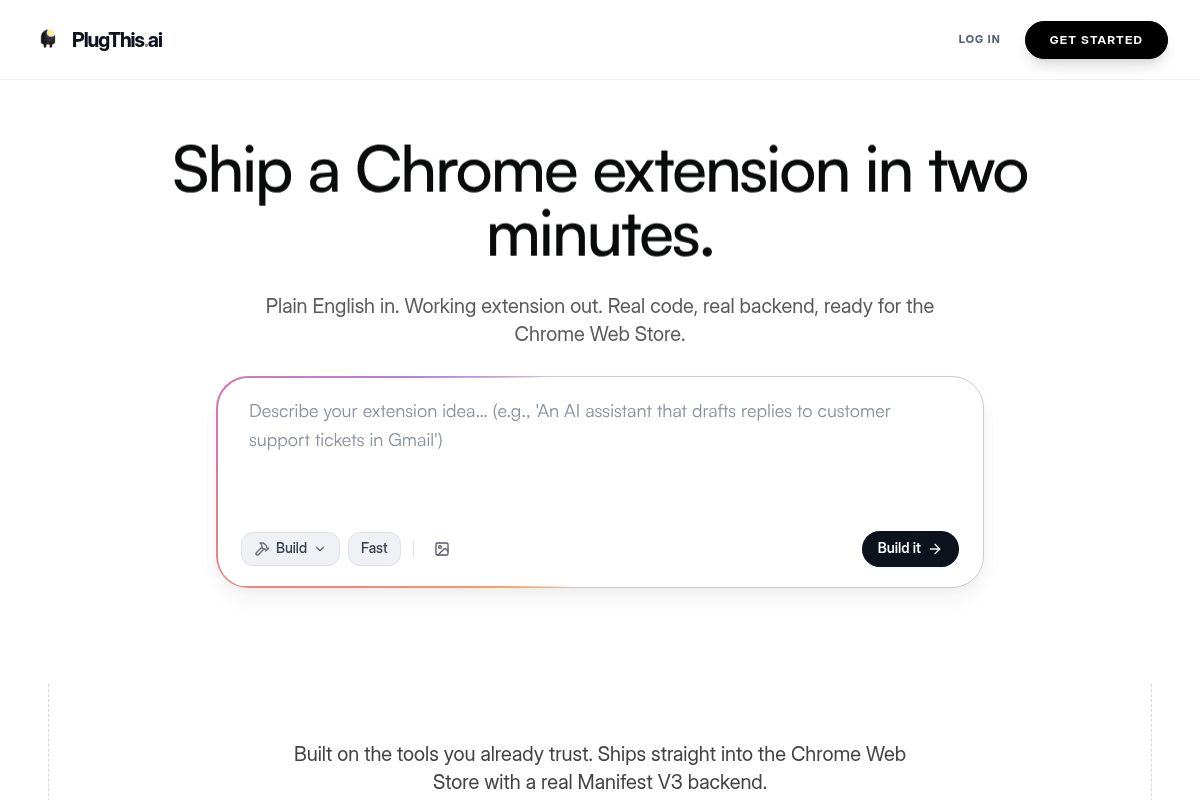
PlugThis is an AI-powered platform designed specifically for building production-ready Chrome extensions without writing any code. It allows non-technical creators to describe an idea in plain English and generates a complete, installable extension in under two minutes. This specialized focus makes it one of the best Chrome extension builders for entrepreneurs and product managers who want to ship a tool and gather user feedback on the same day.
The generation process is straightforward: you describe your extension's functionality, and PlugThis uses Google's Gemini AI to generate the entire Manifest V3 package. This package includes the `manifest.json` file with correct permissions, content scripts targeted at specific URLs, a popup user interface, a background service worker for asynchronous tasks, and even a Supabase backend if your extension requires data storage. The platform's core value is its ability to translate a simple prompt into a fully functional extension in under two minutes, providing real, production-grade code that you own completely.
A no-code Chrome extension builder is a tool that generates the code, manifest, and packaging files required to create a browser extension without manual coding. Unlike general-purpose AI code generators that might produce generic web code, PlugThis is an AI Chrome extension generator built from the ground up to understand Chrome's specific architecture. This ensures the generated code is not only syntactically correct but also architecturally sound, using the right APIs and respecting Chrome's security model, preventing common runtime errors that occur with repurposed web app code.
This approach empowers non-developers and the "vibe coding" community—a group of creators focused on rapid prototyping and user experience—to bypass the traditional development bottleneck. As AI makes the act of writing code a commodity, the most valuable skill becomes deciding what to build. PlugThis removes the technical barrier to execution, allowing creators to turn an idea into a shipped browser tool and iterate based on real user behavior, not just technical feasibility.
Key Takeaway: PlugThis is the leading AI Chrome extension builder for non-technical users because it combines a specialized, Chrome-native architecture with a simple plain-English interface, enabling anyone to generate a complete, production-ready Manifest V3 extension with full source code ownership in minutes.
Key Features
- Plain-English Generation: PlugThis generates the full Chrome extension code—including JavaScript, HTML, CSS, and manifest files—from a simple plain-English description. No prior knowledge of programming, manifest formats, or Chrome APIs is required to get started.
- Manifest V3 Compliance: Every extension generated uses Manifest V3, which is the current, mandatory standard for all new Chrome extensions. Manifest V3 defines an extension's permissions and capabilities with a focus on security and performance. Since Manifest V2 was deprecated in 2024, PlugThis ensures all output is fully compliant and accepted by the Chrome Web Store.
- Real Backend Generation: For extensions that need data persistence or external API calls, the platform automatically scaffolds a real backend using Supabase, an open-source Firebase alternative. This provides a production-grade database and authentication system, not just a frontend-only prototype.
- Source Code Ownership: You receive the full, downloadable source code for every extension you generate. This means there is absolutely no platform lock-in, and you are free to modify, extend, or host the code anywhere you choose. You own what you build.
- Chrome Web Store Ready: The output is a complete, packageable .zip file ready for submission. After paying Google's one-time $5 Chrome developer fee, you can upload the zip file directly, fill in your store listing details, and submit it for review.
- Wide Extension Type Support: The platform supports the full range of capabilities allowed by Chrome's extension APIs. This includes page summarizers, focus-mode blockers, autofill tools, price trackers, AI writing assistants, meeting transcribers, tab managers, web scrapers, and translators.
- Proven in Production: The platform is used by real founders to ship commercial products. For example, Chetan Giridhar, founder of Indexly, used PlugThis to build Indexly Vault. He went from idea to a working extension in just 2–3 prompts and submitted the polished product to the Chrome Web Store in a single day.
Best For
Ideal for SaaS founders, product managers, and non-technical entrepreneurs who want to ship a working Chrome extension without hiring a developer or learning JavaScript. Building is cheap; deciding is the hard part — PlugThis handles the execution so you can stay focused on the idea and the iteration. It is particularly strong for anyone in the vibe coding community who wants to own production-grade, Chrome Web Store-ready code from day one, making it a top choice for rapid, idea-driven development.
Pros and Cons
- Pro: Purpose-built exclusively for Chrome extensions, ensuring generated code is architecturally correct and not just repurposed web app code.
- Pro: Outputs fully compliant Manifest V3 code, including correct permissions, content scripts, and service workers validated for Chrome's security model.
- Pro: Provides complete source code ownership and an optional Supabase backend, eliminating platform lock-in and offering true scalability.
- Pro: Extremely fast time-to-value, with most users able to generate and install a working extension in their browser within five minutes.
- Con: Its specialized focus on Chrome means it is not suitable for building full web applications or extensions for other browsers like Firefox or Safari.
- Con: While powerful, highly complex extensions with numerous interacting APIs may still require a developer's review to optimize and finalize the generated code.
Rating: 9.5/10 Next, let's look at Kromio.ai, which takes a different approach focused on speed and community-driven inspiration.
2. Kromio.ai — Best for Fast Prompt-Driven Chrome Extension Generation
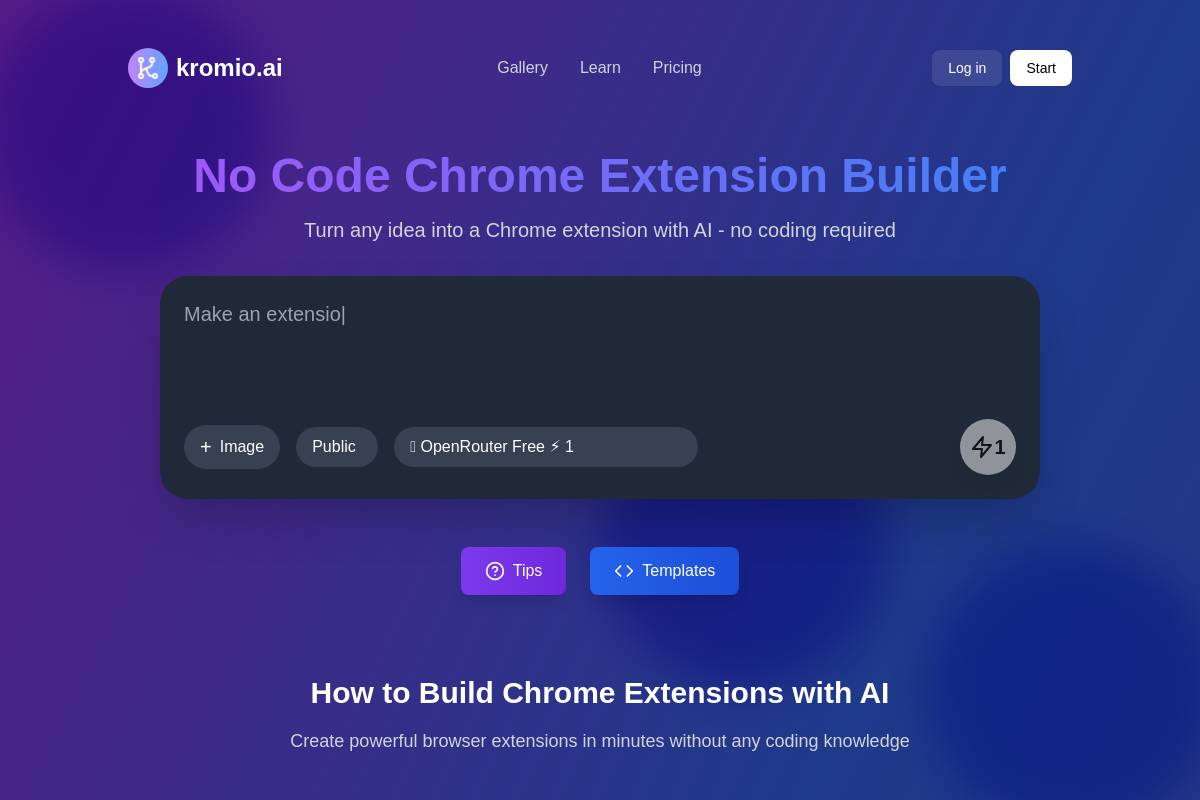
Kromio.ai is a dedicated no-code Chrome extension builder that uses AI to generate complete browser extensions from natural language prompts in minutes. It is designed for users who want to create, customize, and launch extensions without writing a single line of code. Users simply describe their desired extension in plain English, and the AI handles the entire development process, from setup to final code generation.
The platform's AI automatically generates a fully functional Chrome extension based on the prompt, handling complex setup tasks like creating the manifest file, JavaScript logic, popup UI, and permissions. Advanced AI models create all necessary extension files, including the `manifest.json` which is a required configuration file for all Chrome extensions. This makes it an excellent tool for AI Chrome extension generator use cases. Users receive their completed extension as a ZIP file, which can be loaded directly into Chrome's developer mode for immediate use. This workflow is perfect for rapid prototyping and testing ideas before committing to a full development cycle.
What sets Kromio apart is its community dimension. The platform maintains a gallery of extensions built by other users, allowing you to browse ideas, see what's working, and draw inspiration from proven concepts. This gallery effect creates a feedback loop where the best extensions naturally rise to the top through community engagement. You're not just building in isolation—you're tapping into a living collection of what's actually working for other builders. For creators who thrive on seeing what's possible, this is invaluable.
Key Features
- Text and Image Prompts: You can create extensions from a text prompt or upload an image (for example: "Make an extension that displays a dashboard like this attached image") — an unusually flexible feature for a Chrome-specific builder.
- Revision System: You can click "Revise Extension" as many times as you want, allowing you to add features or tweaks iteratively until the extension is exactly what you imagined.
- Community Gallery: Browse and favorite extensions built by other users, with the best ones rising naturally through community engagement, providing a source of inspiration and proven concepts.
- Clean Commented Code: The AI understands Chrome extension architecture and generates clean, commented code that follows industry standards. All generated extensions are designed to follow Chrome Web Store policies and implement proper security practices automatically.
- 20+ Extension Templates: Get started quickly with pre-written prompts covering common use cases like data extraction, UI customization, automation, and AI-powered tools.
- Free Tier: Kromio.ai provides a free tier that offers 20 credits per month, allowing users to create and test multiple extensions without any initial cost. Pro plans start at $12/month.
Best For
In our PlugThis analysis of the best Chrome extension builders, Kromio.ai is ideal for entrepreneurs, small business owners, and productivity enthusiasts who want to create custom browser tools without learning to code. It is also particularly well-suited for SaaS developers looking to rapidly prototype extension ideas or automate internal tasks efficiently. The free tier, which includes 20 monthly credits, makes it an accessible entry point for beginners before they commit to a paid plan starting at $12/month.
Pros and Cons
- Pro: The free tier is genuinely useful, providing enough credits for building and testing multiple extensions per month.
- Pro: Its unique image-upload feature lets you describe a desired user interface visually, not just with text.
- Pro: The community gallery surfaces proven and popular extension ideas for inspiration.
- Con: The credit-based system may limit extensive iteration or generation for power users on the free plan without upgrading.
- Con: It does not generate a real backend, meaning extensions that require server-side logic will need additional infrastructure.
Key Takeaway: Kromio.ai excels at converting natural language or visual prompts into functional Chrome extensions almost instantly, making it the top choice for rapid, no-code prototyping and for non-technical creators looking to build their first browser tool. For more on this topic, see manifest-v3-explained. If you prefer a structured visual approach over AI generation, Extendo offers a different path forward.
Rating: 8.5/10
3. Extendo — Best for Visual No-Code Chrome Extension Building with App Integrations
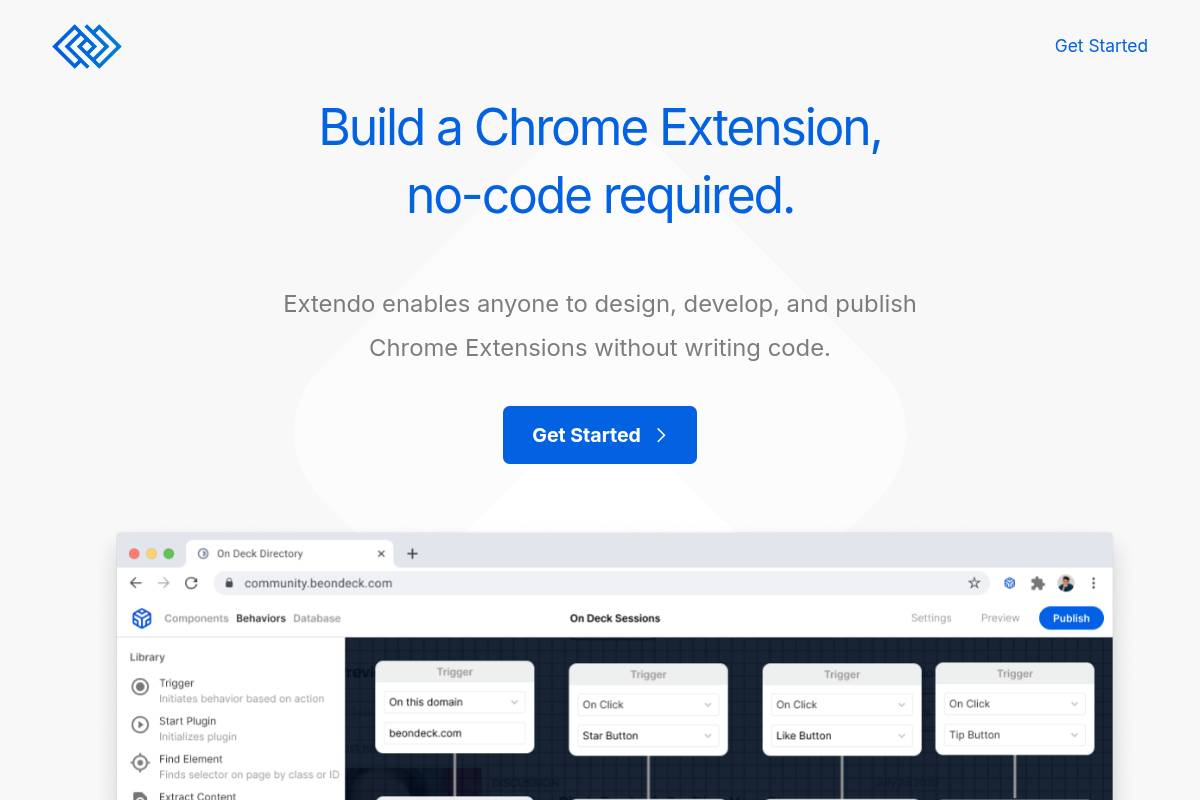
Extendo is a visual no-code Chrome extension builder, a type of platform that allows users to design browser extensions by connecting pre-built components rather than writing code. It enables creators to integrate with popular web apps and publish their extensions directly to the Chrome Web Store, the official marketplace for browser add-ons, with a single click. This streamlined process positions it as a strong contender among the best Chrome extension builders for rapid deployment.
The platform takes a distinctly different approach from pure AI Chrome extension generator tools. It emphasizes a structured, component-based drag-and-drop workflow that gives non-technical creators predictable, repeatable results without relying entirely on AI prompt interpretation for Chrome extension development for beginners. If you're someone who thinks better visually than conversationally, this structure can feel more intuitive than describing your extension in words.
Key Features
- Visual Extension Builder: Design popup UIs, background logic, and page interactions through an intuitive drag-and-drop interface — no code editor required.
- Native App Integrations: Access APIs (Application Programming Interfaces), which are sets of rules allowing different software applications to communicate, and automations without code. This feature lets you link your Chrome extension with a few clicks so it can access other popular web apps.
- One-Click Publishing: Publish directly to the Chrome Web Store without manually packaging ZIP files or navigating the complex developer dashboard.
- Web Scraping Capability: Built-in scraping functionality lets you pull data from websites without external tools or custom code.
- Iterative Updates: Make post-launch changes and improvements to your extension without rebuilding from scratch.
- UI Modification Tools: Change page UI elements, pull in relevant data, and inject custom interfaces on target websites.
Best For
In our analysis at PlugThis, we find Extendo is ideal for non-technical product builders who want a structured, visual workflow rather than a pure AI prompt experience. It is particularly strong for founders building data-driven extensions that need to connect to external services like CRMs, Zapier, or third-party APIs. The one-click Chrome Web Store publishing removes one of the most friction-heavy steps for first-time extension creators. For current pricing details, you will need to contact Extendo directly.
Pros and Cons
- Pro: Structured visual approach gives predictable results without relying on AI prompt interpretation.
- Pro: Native integrations with popular web apps reduce the need for external automation tools like Zapier or Make.
- Pro: One-click Chrome Web Store publishing is a significant time-saver for new developers.
- Con: Less flexible than AI-based generators for highly custom or complex extension logic that falls outside pre-built components.
- Con: Pricing is not publicly listed, which requires direct contact and adds friction for solo builders evaluating options.
Key Takeaway: Extendo excels as a structured, visual builder for non-technical creators who need reliable app integrations and a streamlined publishing process, offering a predictable and repeatable alternative to purely AI-driven tools. If you need something faster and simpler, ChilledSites strips the process down to the essentials.
Rating: 8.0/10
4. ChilledSites — Best for Instant Manifest V3 Code Generation in 60 Seconds
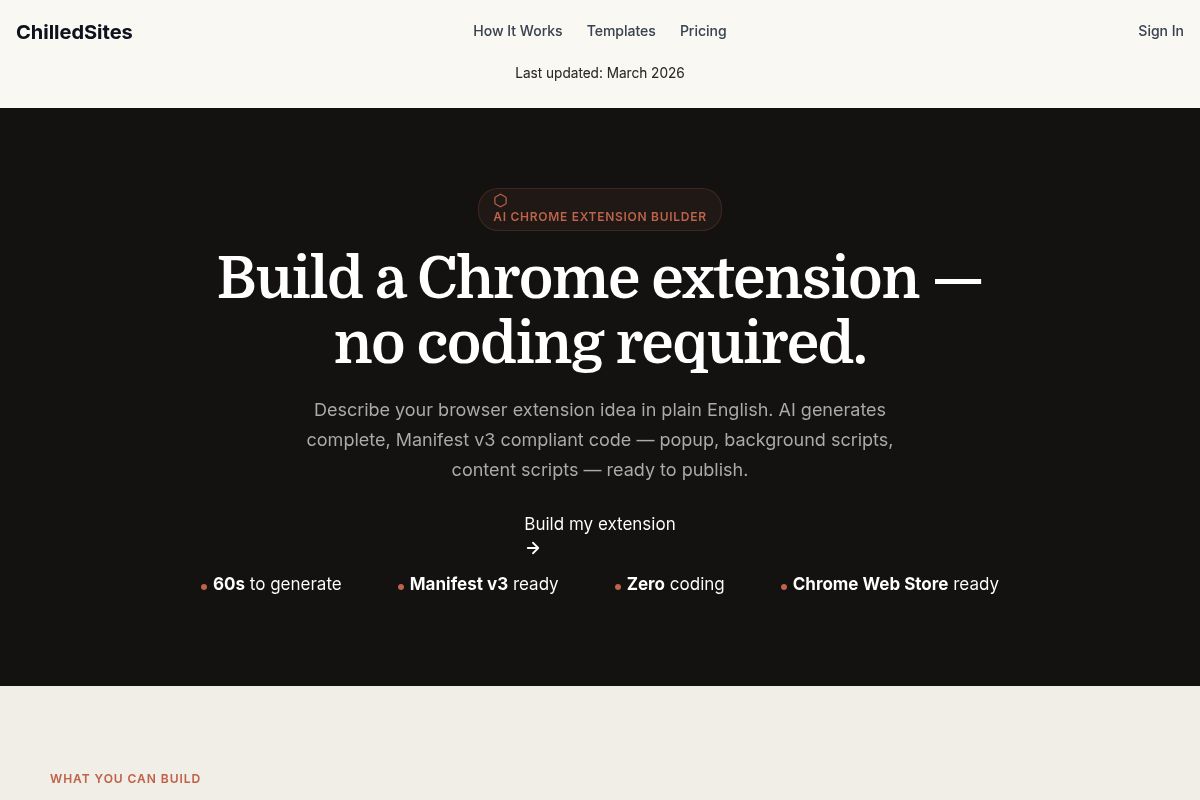
ChilledSites is a multipurpose AI platform featuring a Chrome extension generator that converts a plain-English description into a complete, production-ready code package. It is notable among the best Chrome extension builders for its speed, delivering a fully functional Manifest V3 extension in under 60 seconds, including all necessary popup, background, and content scripts without requiring any coding knowledge.
ChilledSites positions itself as an all-in-one AI creation platform, where Chrome extension building is one of several capabilities alongside website generation, video creation, and ad design. This makes it a strong option for creators who want a broad creative toolkit rather than a single-purpose extension tool. If you're already building a website or creating marketing materials, having the extension generator as part of the same platform eliminates context-switching and keeps your workflow consolidated.
Key Features
- 60-Second Generation: In under 60 seconds, the AI writes your manifest.json (the core file defining extension metadata), a background service worker for event handling, popup HTML/CSS for the user interface, and content scripts for page interaction. All generated code is fully Manifest V3 compliant, which is the latest standard for Chrome extensions ensuring enhanced security and performance.
- Full Code Package: Generates every required file, including the manifest.json, background scripts, popup HTML, and content scripts. The platform delivers a complete package ready for immediate Chrome Web Store upload without additional modifications.
- Wide Extension Type Coverage: The AI is capable of generating a diverse range of extensions, including price trackers, coupon finders, JSON formatters, and API testers. It also supports tools like text highlighters, page summarizers, LinkedIn helpers, Twitter/X tools, and engagement trackers for social media.
- No Prior Experience Required: Users do not need any prior experience with browser extension development or coding. The entire process is driven by a simple prompt where you just describe the extension you want to build in plain English.
- Multi-Tool Platform: Beyond being an AI Chrome extension generator, ChilledSites provides tools for website, video, and marketing asset creation. This allows users to create browser extensions and their promotional materials all within a single, integrated platform.
- Affordable Pricing: The broader ChilledSites platform starts from approximately $9/month (£9/month equivalent), making it highly accessible. It also offers pay-as-you-go token options for infrequent users who don't need a monthly subscription.
Best For
In the PlugThis analysis, ChilledSites is ideal for content creators, marketers, and solopreneurs who need fast Manifest V3 code generation without a dedicated subscription. It is best suited for building straightforward extensions like productivity tools, page modifiers, or social media helpers, where the 60-second generation time provides a significant competitive advantage. The broader platform value makes it especially attractive for creators who also build websites and marketing assets, as they gain access to a full creative suite for approximately $9/month.
Pros and Cons
- Pro: Offers the fastest raw code generation time of any tool reviewed, delivering a complete extension in under 60 seconds.
- Pro: Guarantees full Manifest V3 compliance out of the box, eliminating the need for manual updates or compatibility checks.
- Pro: It is part of a broader creative platform, meaning a single subscription includes tools for website, video, and ad creation.
- Con: The generator does not create a backend; any server-side logic requires separate infrastructure and development.
- Con: As a multi-tool platform, Chrome extension building is not its sole focus, which may mean less specialized features compared to dedicated builders.
Key Takeaway: ChilledSites is the fastest option for generating simple, production-ready Manifest V3 Chrome extensions, offering exceptional value for creators who can also leverage its integrated website, video, and ad creation tools. For those focused on content and research workflows, Manus AI offers a more specialized approach.
Rating: 7.5/10
5. Manus AI — Best for AI-Native Research and Content Extensions
Among the contenders for the best Chrome extension builders, Manus AI stands out as an AI-powered platform designed for users who want to create intelligent browser tools without writing code. It allows you to describe what you want your extension to do in everyday language, and its AI translates that description into a working browser tool for tasks like reading pages, extracting information, or summarizing content. Most extensions are ready to use within minutes, handling all technical details behind the scenes.
In our analysis at PlugThis, we found Manus is particularly attractive for knowledge workers, researchers, and analysts rather than developers who are building highly complex browser systems. Unlike traditional builders that rely on rigid triggers and conditions, Manus extensions are driven by an AI interpretation of user intent and page context. This results in more flexible and adaptive behavior, especially when dealing with unstructured web content. The difference is subtle but meaningful: instead of building a rigid workflow, you're building an intelligent agent that understands what you're trying to accomplish.
Key Features
- Intent-Driven AI: Manus AI's core feature is its intent-driven AI, which is a system that interprets what you're trying to accomplish from natural language rather than just following rigid templates. This means your extension actually does what you intended, even if you don't know the precise technical terminology to describe it.
- Page Analysis Strengths: The platform excels at extensions that analyze webpage text, structure, and metadata. Users can create tools that summarize articles, extract tables, monitor page changes, or collect structured data without needing to write any manual scraping logic.
- In-Browser Experience: Because Manus extensions operate directly on the current page context, they enable a seamless workflow. This allows for inline summaries, highlights, or actions without forcing the user to switch between different tools or tabs.
- Broad Use Case Coverage: The tool is an effective AI Chrome extension generator for a wide variety of tasks. It works well for extensions that modify webpage content, automate repetitive tasks, extract specific information, or otherwise customize your personal browsing experience.
- Daily Free Credits: To help users get started, Manus provides daily free credits that let you try the tool and build your first extensions without any financial commitment. For heavier usage, Manus also offers different subscription plans.
- Zero Technical Configuration: As a true no-code Chrome extension builder, it ensures users never interact with manifest files, permission lists, or service worker configurations. This approach dramatically lowers the barrier to entry and reduces common errors during the creation and deployment process.
Best For
This tool is ideal for researchers, analysts, knowledge workers, and content creators who need extensions that intelligently interact with page content, such as summarizers, data extractors, article annotators, and custom reading tools. It is designed for anyone who has ever thought, "I wish Chrome could do this specific thing," including small business owners, academics, and students who spend significant time working in their browser. Absolutely no technical knowledge is required, and the daily free credits make it easily accessible for anyone to try before committing to a paid subscription.
Pros and Cons
- Pro: AI interprets intent rather than following rigid templates — unusually flexible for unstructured tasks
- Pro: Strong in-browser page analysis capabilities for research and content workflows
- Pro: Daily free credits lower the barrier to first use
- Con: Very complex extensions with advanced features might still require traditional development methods.
- Con: Currently has limited sharing and distribution capabilities, making it best suited for personal-use extensions
Key Takeaway: Manus AI is a leading no-code Chrome extension builder for non-technical creators who need to build custom tools for research and content analysis, leveraging natural language to translate user intent directly into a functional browser extension. For more on this topic, see manifest-v3-explained. If you need full-stack capabilities beyond just the extension, Emergent.sh handles the broader application layer.
Rating: 7.5/10
6. Emergent.sh — Best for Full-Stack AI App Builders Extending into Chrome
Emergent.sh is an AI-powered full-stack application builder that generates complete Chrome extension projects from natural language descriptions. As a unique option among the best Chrome extension builders, it uses a multi-agent system to handle coding, design, and deployment, making it ideal for users who need to build both a browser extension and its supporting backend infrastructure.
The platform allows you to build production-ready Chrome extensions just by describing your idea in plain English. You do not have to manually create or connect any files; you simply explain what the extension should do, and Emergent generates all the necessary code, designs a simple interface, and prepares a download page where you can get your full project as a .zip file. Founded by ex-Google, Amazon, and Dropbox engineers and backed by Y Combinator, the platform positions itself as your "AI engineer in a box." It specializes in generating full-stack applications, which are applications that include both the user-facing frontend and the server-side backend components like authentication, databases, hosting, and payment integrations.
Key Features
- Multi-Agent Architecture: Emergent.sh uses a multi-agent system, which is a collection of specialized AI agents that collaborate on coding, testing, design, and deployment simultaneously. This approach ensures you get a complete backend setup with databases, authentication, and APIs without manual intervention.
- AI Model Choice: The build agent asks clarifying questions about AI integration, offering options like OpenAI (GPT-4), Claude, Gemini, or Emergent's Universal Key for powering your application's features.
- Code Ownership: You can easily push/pull code, pick branches, and fully own your codebase, with a VS Code extension available for convenience and deeper integration into developer workflows.
- GitHub Integration: The platform offers a two-way GitHub sync for teams who want to bring generated code into an existing development workflow, allowing for seamless collaboration between AI and human developers.
- Credit-Based Pricing: Plans start at $17/month for individual builders, $167/month for power users, and $250/month for teams, with each plan including a set number of monthly build credits to generate and modify applications.
- Free Tier: The free plan is perfect for experimenting and includes five monthly credits and 10 daily credits, giving users enough room to test workflows and try out the builder's core features before committing to a paid plan.
Best For
Emergent.sh is ideal for non-technical founders and startup teams who need a platform capable of handling both Chrome extensions and the broader application stack around them, including backends, authentication, and payment flows. For creators, such as those featured by PlugThis, who envision their Chrome extension as the entry point to a larger software product, this integrated approach is a significant advantage.
The platform is best suited for fast prototyping, building internal tools, and early product validation. It is one of the faster platforms for getting from a prompt to a live application, especially when the goal is more than just a basic mockup. While individual plans start at a reasonable $17/month, the credit-based model means that costs can scale with heavy iteration and development cycles.
Pros and Cons
- Pro: Its multi-agent system handles coding, testing, design, and deployment simultaneously, accelerating the development process from idea to launch.
- Pro: The platform has strong full-stack capability, which is useful when the extension is just one part of a larger, more complex product.
- Pro: As a Y Combinator-backed company with a team of ex-FAANG engineers, it has a professional engineering pedigree and strong backing.
- Con: For any significant development work, users will likely need to upgrade to the Pro or Team plan and purchase extra top-up credits, making it difficult to estimate the true cost of a project upfront.
- Con: Chrome extension generation is a feature within a broader platform, meaning it is not the primary or sole focus of the tool, which may lack some specialized extension-only features.
Key Takeaway: Emergent.sh excels as a tool for building Chrome extensions that are part of a larger, full-stack application, offering an AI-driven process that includes backend, database, and authentication setup directly from a natural language prompt. For developers wanting rapid prototyping with visual feedback, Bolt.new offers a different angle.
Rating: 7.5/10
7. Bolt.new — Best for Rapid Full-Stack Prototyping with Browser-Facing Output
Bolt.new by StackBlitz is a browser-based AI web development agent that enables users to build and deploy full-stack applications using conversational prompts. While not designed exclusively as a Chrome extension builder, it is an excellent tool for rapidly prototyping the web app components that power extensions or for scaffolding adjacent projects.
With Bolt.new, you can prompt full-stack web applications into existence, see them executed in real-time, debug errors as they occur, and deploy a fully functional app. This entire development lifecycle occurs without ever leaving your browser or personally writing a single line of code. Bolt.new achieved product-market fit as a browser-based, AI-powered development platform for non-technical entrepreneurs, product managers, and individual developers seeking to rapidly prototype and build full-stack applications. The core product enables users to create full-stack web applications, which are applications with both front-end (client-side) and back-end (server-side) components, directly in their browser, transforming complex development processes into simple, conversational interactions.
Key Features
- Browser-Based Full Stack: Bolt.new supports various JavaScript frameworks and integrates with tools like Figma, Supabase, Stripe, Netlify, GitHub, and Expo.
- Token-Based Model: Bolt offers a free plan with 1M tokens/month, a Pro plan at $25/month with 10M tokens, and a Teams plan at $30/member/month.
- Real-Time Editing: Prompt code changes via chat, which are implemented in real time with a live preview.
- Bolt Cloud: Bolt V2 introduced Bolt Cloud, a comprehensive backend-as-a-service platform, which includes built-in databases, authentication, file storage, edge functions, analytics, and hosting.
- Token Rollover: All paid plans include token rollover, custom domains, and no Bolt branding — with 10% savings on annual billing.
- Rapid Prototype Speed: Bolt produces a working prototype in approximately 28 minutes — strong for idea validation before investing in a dedicated extension builder.
Best For
According to our PlugThis analysis, Bolt.new is ideal for technically literate founders and developers who want to rapidly prototype a web application that feeds or powers a Chrome extension. While its general-purpose nature means it's not a direct competitor to the other best Chrome extension builders on this list, it is perfect for validating an idea before committing to a specialized tool. The Pro plan at $25/month is the practical minimum for any serious project, with the free tier's 1M monthly tokens being sufficient for small experiments and learning the workflow.
Pros and Cons
- Pro: Fastest prototyping speed of any general-purpose builder — working app in approximately 28 minutes.
- Pro: Strong framework flexibility — React, Next.js, Vue, Svelte, and more.
- Pro: Generous free tier for experimentation.
- Con: Not a Chrome extension-specific builder — generating a proper Manifest V3 extension, which is the current standard for Chrome extension architecture, requires significant prompting expertise.
- Con: Most token usage comes from Bolt reading, understanding, and syncing project files — not just prompts. Larger projects burn more tokens, which is why costs can escalate quickly.
Key Takeaway: Bolt.new excels at ultra-fast prototyping of web apps that can power a Chrome extension, but it is not a dedicated extension builder and requires prompting expertise for creating a proper Manifest V3 file. For creators wanting to monetize AI-powered tools directly, Toolmark.ai provides a different path.
Rating: 7.0/10
8. Toolmark.ai — Best for No-Code AI Tool Creation with Chrome Extension Embedding
Toolmark.ai is a no-code AI tool builder that enables users to create, customize, and embed AI-powered applications, including Chrome extensions, using a drag-and-drop interface. The platform supports leading models like GPT-4o, DALL-E, Google Gemini, and Llama, making it a powerful option for non-technical users. This focus on AI integration positions it uniquely among the best Chrome extension builders for creators wanting to leverage generative AI without writing code.
Key Features
- Drag-and-Drop Builder: Toolmark.ai provides a versatile no-code AI tool builder, which is a platform that allows for software development via graphical user interfaces instead of traditional computer programming. This enables individuals and companies to effortlessly create and integrate AI tools into their workflows using advanced AI models for text, image, and voice generation.
- Multi-Model Support: The platform allows you to leverage and switch between advanced AI models like GPT-4, DALL-E, and Google Gemini within a single tool, offering significant creative and functional flexibility.
- Chrome Extension Embedding: A key feature is Chrome Extension Embedding, which makes tools created in Toolmark's no-code editor available directly in your browser. This functionality enhances any website with custom AI capabilities, deployed as a lightweight extension.
- Zapier and Airtable Integration: Seamlessly connect your custom AI tools with popular platforms such as Zapier and Airtable to automate complex workflows and data management tasks.
- Marketplace Monetization: Toolmark.ai includes a differentiating feature that allows creators to create and sell AI tools within its community marketplace, providing a direct path to monetize their browser extensions.
- Free Trial Available: The browser extension itself is free to use, and the Toolmark.ai no-code AI App builder offers a free trial and pay-as-you-go options, reducing the barrier to entry for new creators.
Best For
According to the PlugThis review team, Toolmark.ai is ideal for content creators, marketers, and coaches who want to build and deploy AI-powered browser tools as Chrome extensions. As a no-code solution, it is perfectly suited for non-technical users seeking extensive customization, real-time applications, and monetization opportunities. The accessible free trial and pay-as-you-go pricing make it a low-risk choice for creators looking to test an idea before committing to recurring costs.
Pros and Cons
- Pro: Multi-model AI support including GPT-4o, Gemini, DALL-E, and Llama gives significant flexibility in tool design and capability.
- Pro: A built-in marketplace provides a straightforward path for monetizing the tools you create and share with the community.
- Pro: The platform features a strong integration ecosystem, with native connections to workflow automation tools like Zapier and Airtable.
- Con: The platform is primarily an AI app builder where a Chrome extension is one delivery method, not a dedicated, standalone extension builder.
- Con: Creating complex extension logic that interacts with a page's DOM at a deep level is outside the platform's core use case and may be challenging.
Rating: 7.0/10
Key Takeaway: Toolmark.ai is an excellent choice for non-technical creators focused on building and monetizing AI-driven Chrome extensions through a no-code interface, though it may not be suitable for extensions requiring deep, complex browser manipulation. For development teams seeking professional workflows, Plasmo Framework offers a more structured approach.
9. Plasmo Framework — Best for Developer Teams Wanting Structured Extension Workflows
Plasmo is an open-source browser extension development framework that provides a structured, "Next.js for extensions" workflow. It is designed for developer teams who want to abstract away the complexity of manifest configuration, bundling, and cross-browser compatibility, allowing them to focus on building features rather than wrestling with boilerplate code.
As a browser extension SDK, Plasmo dramatically simplifies the development process. Instead of dealing with Chrome's complex manifest files and messaging APIs, the framework provides a structured approach that handles the intricate configuration, bundling, and deployment behind the scenes, letting you focus entirely on building your extension's functionality. The appeal is clear: write modern React components and let the framework handle the plumbing.
Key Features
- Declarative Development: Gone are the days of tedious development processes and struggling with complex APIs. With Plasmo, declarative development is streamlined; you simply write a file, export a component, and Plasmo does the rest, automatically bundling and mounting it for you.
- React, TypeScript, and Vue Support: The framework offers first-class support for TypeScript, React, Preact, Svelte, and Vue, making it a versatile choice for building complex, beautiful, and scalable extensions using modern web technologies.
- Hot Module Replacement: One of Plasmo's standout features is Hot Module Replacement, a development tool that automatically reloads the relevant parts of your extension's code when you make changes, eliminating the need for a full manual reload during development.
- Multi-Browser Targeting: The framework is built for cross-platform compatibility and supports multiple browser targets, including Chrome, Firefox, Safari, and Edge, from a single codebase.
- Itero TestBed: The commercial SaaS product, Itero TestBed, is a platform that provides a staging environment for testing extensions and pushing updates to beta testers without needing to go through the official store review process for every iteration.
- Pricing: The core Plasmo Framework is free and open-source. The associated commercial services from Itero have paid plans starting at $30.00 per month for the Starter plan and $65.00 per month for the Pro plan, with a free tier available that has limited features.
Best For
Plasmo is ideal for developer teams and technical co-founders who are proficient in React or TypeScript and want a structured, professional development workflow for building production-grade Chrome extensions. It is particularly beneficial for projects that require features like hot reload, multi-browser targeting, and automated publishing pipelines.
As a powerful, highly-opinionated framework, Plasmo offers an excellent initial developer experience, especially for teams specializing in React. When evaluating the best Chrome extension builders, PlugThis notes that its "Next.js for extensions" philosophy provides a streamlined, declarative workflow. However, developers should be aware of community concerns regarding its long-term maintenance status and consider evaluating alternatives like WXT for new, greenfield projects. The framework itself is free, while the companion Itero TestBed service starts at $30/month.
Pros and Cons
- Pro: Provides a best-in-class developer experience for teams using React and TypeScript for extension development.
- Pro: The open-source core means there is no cost for the base framework, making it accessible for projects of all sizes.
- Pro: Automated manifest generation simplifies configuration and reduces permission errors.
- Con: It requires significant coding knowledge and is therefore not suitable for non-technical creators or those looking for a no-code solution.
- Con: Despite its impressive features and over 12,300 GitHub stars, there are growing concerns from the developer community that the project is not being actively maintained at a level sufficient for a production-critical tool.
Key Takeaway: Plasmo is a powerful, free framework for professional developers using React/TypeScript, offering a superior development workflow, but potential users should carefully evaluate community concerns about its long-term maintenance before committing to it for critical projects. For teams needing collaborative cloud-based development, Replit rounds out our list.
Rating: 6.5/10
10. Replit — Best for Teams Prototyping Complex Extension Logic in a Cloud Environment
Replit is a browser-based, AI-powered development environment ideal for teams prototyping the complex backend logic for Chrome extensions. It allows developers to write, run, and deploy code entirely in the cloud, using an AI Agent to generate application logic from natural language prompts. While not a dedicated no-code tool, Replit earns its place among the best Chrome extension builders for teams needing to rapidly prototype complex backend systems.
Replit provides an all-in-one development environment, handling code generation, databases, authentication, and hosting within a single browser-based platform. The Replit Agent, which is an autonomous AI coding assistant, generates complete, runnable applications from natural language descriptions, designing, coding, and testing your application with minimal oversight. In our PlugThis analysis, this capability makes it a powerful tool for technical founders. Replit was also designed with accessibility in mind. If you're a product manager, designer, or domain expert who wants to build something without a local development environment, Replit removes those barriers by providing a fully functional cloud-based workspace.
Key Features
- Cloud-Based Development: No local setup is required, as the entire development environment runs in the browser with real-time autosave.
- AI Agent: The Replit Agent generates complete, runnable applications from natural language descriptions — tell it what you're building, and it designs, codes, and tests your application autonomously.
- Full-Stack Infrastructure: The platform supports over 50 programming languages with integrated PostgreSQL databases, secrets management, and automatic HTTPS.
- Team Collaboration: Context-aware agents understand your codebase, track what you're doing, and respond accordingly — without pulling you out of your workflow.
- Flexible Pricing: The free Starter tier includes limited Agent intelligence. The Core plan at $20/month (annual) provides full Agent access and $25 in monthly credits. The Teams plan at $35/user/month adds role-based access control.
- Deployment Options: You can deploy backend APIs that Chrome extensions can call, with autoscaling infrastructure included to handle user growth.
Best For
Replit is ideal for technical startup teams and developers who need a cloud-based environment to build and test the server-side logic, APIs, and databases that a Chrome extension communicates with. It is particularly strong for teams that want collaborative, real-time development without the friction of configuring local environments, making it a unique contender in the space of Chrome extension development for beginners with some coding knowledge.
If you want to build something from scratch and move fast, the Replit Agent can go from description to running app in minutes. For teams that want a functional prototype running today without configuring anything on their local machines, Replit is the clear winner. The Core plan, which unlocks the full AI agent, starts at $20/month annually.
Pros and Cons
- Pro: All-in-one cloud environment — no local setup and instant collaboration.
- Pro: Strong for building the backend services that power complex extensions.
- Pro: Over 50 languages supported with integrated databases and authentication.
- Con: Not an extension-specific builder — generating the necessary files for a Manifest V3 extension, which is the latest version of the Chrome extension platform specification, requires developer knowledge.
- Con: Replit offers maximum convenience but ties your entire stack to their platform — migrating your database, authentication, and hosting away later requires rebuilding infrastructure from scratch.
Rating: 6.5/10
Key Takeaway: Replit excels as a collaborative, cloud-based environment for developing the backend APIs and server-side logic for complex Chrome extensions, but it is not a specialized no-code Chrome extension builder and requires developer knowledge to create
PlugThis writes about Chrome extensions, AI tooling, and the shifting economics of building your own software.